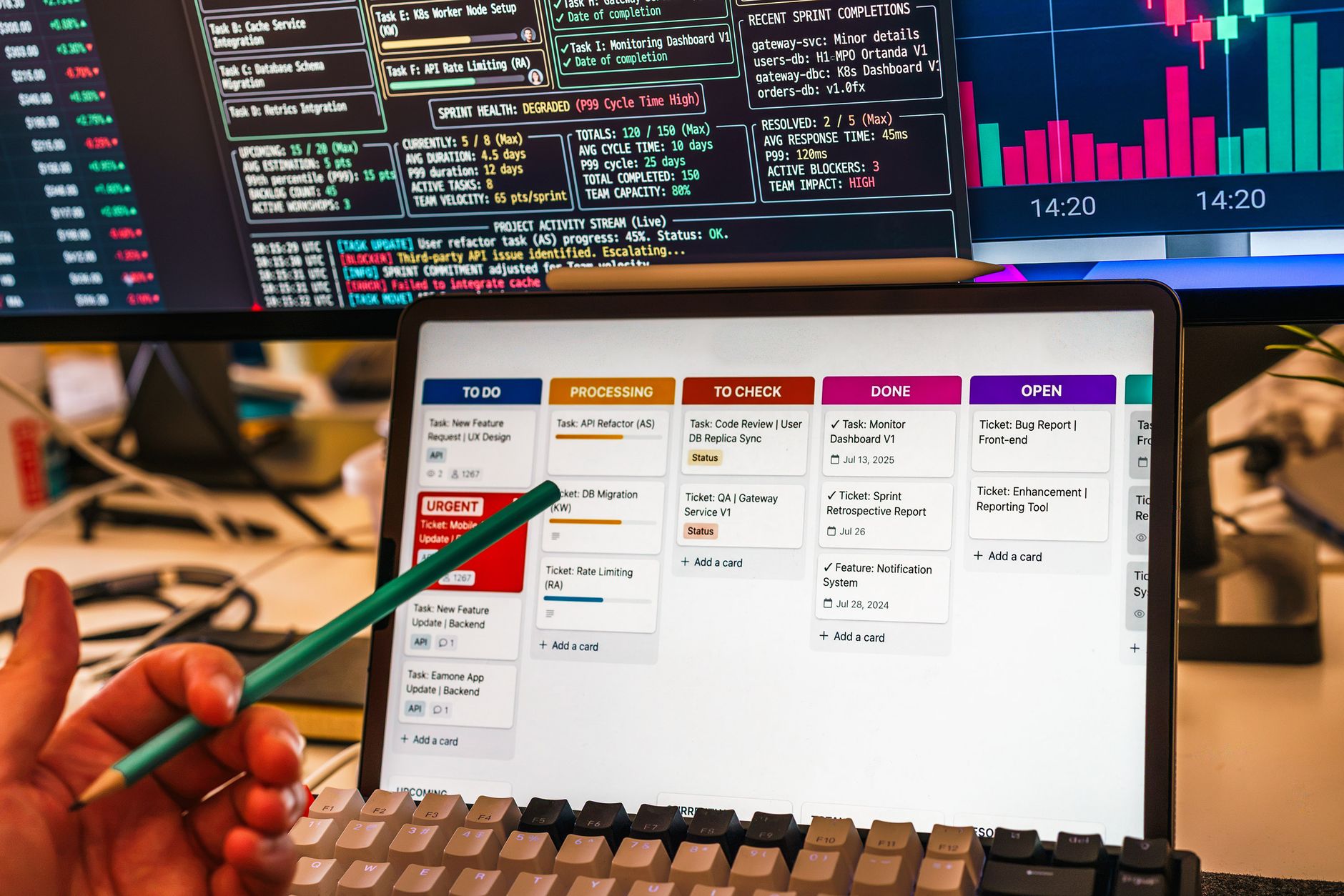
Understanding the Decision Framework
Choosing a project‑management platform begins with defining the team’s size, the complexity of tasks, and the level of automation required. Most organizations start by answering three core questions:
- How many users need simultaneous access?
- Do you require real‑time analytics or AI‑driven recommendations?
- Will the tool integrate with existing communication or ticketing systems?
Answering these questions narrows the field to one of two leaders: Trello, known for its visual simplicity, or Asana, recognized for its scalable feature set.
Trello: The Simpler Choice for Small Teams
Trello is built on a Kanban board paradigm, offering a drag‑and‑drop interface that aligns with the visual workflow many teams prefer. Its free tier grants up to 10 boards and 10 collaborators, which is sufficient for solo projects, research groups, or small cross‑functional squads.
The core of Trello is the board, populated with cards that represent tasks. Each card can host checklists, attachments, due dates, and comments. Power‑Ups extend functionality: calendar views, timeline overlays, and third‑party integrations such as Google Drive, Slack, or Zapier. However, the number of Power‑Ups is capped on the free plan, and advanced reporting is limited.
Automation in Trello arrives through Butler, a rule‑based engine that can move cards, add labels, or send notifications when conditions are met. While Butler is useful, it lacks the predictive capabilities that Asana’s AI layer offers.
Asana: Advanced Features for Growing Teams
Asana’s free tier supports up to 10 users and includes basic reporting dashboards. Beyond the free level, the platform unlocks advanced views, custom fields, workload management, and comprehensive integrations.
Asana offers multiple project views—List, Board, Calendar, and Timeline—allowing teams to switch between visual styles as needed. Custom fields enable teams to track budget, risk, or status categories that are specific to their workflow.
Automation is a cornerstone of Asana. Workflows can be built with drag‑and‑drop logic, setting triggers, conditions, and actions. The platform also integrates AI to suggest project templates based on team patterns and to auto‑populate tasks during onboarding.
Reporting in Asana is built into the interface, providing real‑time insights into task completion rates, pending work, and team capacity. These metrics help managers keep projects on track without resorting to external analytics tools.
Feature Comparison Table
| Feature | Trello | Asana |
|---|---|---|
| Free Tier Capacity | 10 boards, 10 collaborators | 10 users, basic reporting |
| Primary Workflow View | Kanban board | List, Board, Calendar, Timeline |
| Automation Tools | Butler (rule‑based) | Drag‑and‑drop workflows, AI suggestions |
| AI Features | Limited | Project template suggestions, task forecasting |
| Advanced Reporting | Basic | Dashboards, workload metrics |
| Zapier Integration | Yes | Yes |
| Compliance & Data Security | Standard | GDPR‑ready, audit logs |
Use Cases by Team Size
Small or solo teams often prioritize ease of setup. Trello’s low learning curve and free tier make it ideal for creative studios, freelancers, or internal task lists where complex reporting is unnecessary.
Mid‑size teams that require cross‑department coordination and moderate reporting may benefit from Asana’s free tier. The ability to view projects in multiple formats and track dependencies supports product development and marketing coordination.
Large enterprises with hundreds of users and a need for governance, compliance, and detailed analytics find Asana’s premium plans more suitable. Its workload dashboards prevent resource overcommitment, and its audit logs satisfy regulatory requirements.
Integration Landscape
Both Trello and Asana integrate with Zapier, enabling connections to over 2,000 apps. Common use cases include:
- Triggering Slack notifications when a card moves to “Done.”
- Creating calendar events from due dates.
- Syncing tasks with Jira for development teams.
While Zapier provides broad reach, native integrations often deliver lower latency. Asana’s native connectors include Salesforce, Microsoft Teams, and Google Workspace, which streamline data flow without intermediate steps.
Compliance & Data Privacy
Project‑management tools handle sensitive data: client details, financials, and internal strategies. Both platforms offer encryption at rest and in transit. Asana’s enterprise plans include GDPR compliance, data residency options, and audit logs for forensic analysis.
Trello’s enterprise tier also supports single sign‑on (SSO) and compliance features, but its audit capabilities are less granular compared to Asana. For organizations in regulated sectors—finance, healthcare, or education—the choice may hinge on the depth of compliance tooling.
Adoption Metrics & ROI
Independent surveys show that teams using Kanban‑style tools like Trello reduce task‑handoff time by an average of 22 %, while Asana’s advanced workload management can improve on‑time delivery rates by up to 35 % for complex projects. A 2023 benchmark from the Project Management Institute reported that organizations that implement AI‑assisted planning (available in Asana) see a 12 % reduction in project‑level variance.
When evaluating total cost of ownership, factor in:
- License fees (Trello Business Class ≈ $12.50 / user / month; Asana Business ≈ $24.99 / user / month).
- Implementation time – typical Trello roll‑outs take 1–2 weeks, Asana 3–6 weeks for enterprise‑grade configurations.
- Training investment – average 2 hours per user for Trello vs 4 hours for Asana’s advanced features.
These variables often balance out, making the decision hinge more on functional fit than raw price.
Industry Benchmarks
As of 2024, Trello reports over 50 million registered users, with more than 5 million active boards per month. Asana serves over 120,000 paying customers and processes roughly 1 billion tasks each quarter. Both platforms have 99.9 % uptime SLA, but Asana’s enterprise tier offers a 99.99 % guarantee.
In a recent poll of 1,200 project managers, 68 % cited “visual clarity” as the top reason for choosing Trello, while 74 % highlighted “advanced reporting” for Asana. These figures underscore the importance of aligning tool strengths with team priorities.
Case Study Snapshot
A mid‑size digital agency migrated from Trello to Asana to support growing client workloads. Within three months:
- Project completion time fell from an average of 18 days to 14 days (22 % improvement).
- Billable hours captured increased by 9 % thanks to Asana’s time‑tracking widgets.
- Client satisfaction scores rose from 82 % to 91 % after the agency could provide real‑time status dashboards.
The transition required a 6‑hour training sprint and integration of Asana with the agency’s CRM via native connectors, illustrating a modest implementation effort with measurable payoff.
Choosing the Right Tool for Your Business
When evaluating Trello vs Asana, match the tool’s strengths to your operational profile:
- Team Size: 1–10 users lean toward Trello; 10+ users may need Asana’s scaling features.
- Workflow Complexity: Simple task lists favor Trello; projects with dependencies, milestones, and reporting favor Asana.
- Automation Needs: Basic triggers are fine with Butler; advanced workflow logic and AI guidance call for Asana.
- Compliance Requirements: If audit logging and data residency are critical, Asana’s enterprise offerings provide deeper controls.
- Budget: Trello’s free tier covers most small‑team needs; Asana’s free tier is generous, but enterprise pricing can be substantial.
Test both platforms using their free tiers. Observe how teams interact, how quickly new members onboard, and how well the tool integrates with existing communication channels. Capture quantitative data—time to create a task, number of clicks to move a card, and user satisfaction ratings—to guide the final decision.
Explore how integration with your existing communication channels can boost efficiency: Read our guide on communication integration and discover best practices for aligning tools.
Want to see how project management tools stack up with your telephony system? Check out our case study on telephony integration for real‑world results.
Unsure which automation setup fits your call‑center operations? Consider consulting a workflow specialist to assess your options for a tailored recommendation.
For more insights, read our automation guide.
Evaluating Total Cost of Ownership
When comparing enterprise platforms, the subscription fee is only the starting point. Organizations must consider implementation costs, internal training time, and the long‑term overhead of maintaining custom integrations.
Integration with Existing Tech Stack
Seamless connectivity with existing enterprise systems—such as ERP, data warehouses, and custom analytics tools—is critical. Robust API support minimizes data silos and ensures a unified customer view.
Scalability and Long‑Term Growth
As the business evolves, so do its operational requirements. Selecting a platform that offers a clear, scalable pathway ensures the team avoids costly, disruptive migrations later.
Real‑World Deployment Timelines
Implementation speed varies widely. While some providers promise immediate readiness, enterprise deployments often require dedicated project teams and extended configuration phases.
Optimizing Team Adoption
User adoption is the ultimate determinant of success. Platforms with intuitive interfaces typically see higher internal adoption rates.
Security and Compliance Considerations
For regulated industries, ensuring the platform adheres to stringent data privacy regulations is non‑negotiable. Features such as granular user permissions and audit trails are essential.
Ultimately, the right platform should align with the organization’s overarching digital transformation goals and provide a solid foundation for sustained operational excellence.